Empowering the Next Generation of Women in Audio

Join Us

SoundGirls Orlando Expo 2019

The  SoundGirls Orlando Expo 2019 is scheduled

We are also seeking volunteers to help run the expo if you are interested in volunteering please sign up here

SoundGirls is excited to announce the 2nd SoundGirls Orlando Expo. Hosted by Full Sail University and organized by the Orlando SoundGirls Chapter, the expo will feature a  number of panel discussions, seminars and audio manufacturer demos and training sessions.

Manufacturers, Panels, and Seminars TBA

BBC New Creatives

I have recently been accepted onto the BBC New Creatives scheme 2019. This is the first time the project has been run. It aims to give artists the opportunity to make fresh and innovative short films, audio, and interactive works. This new talent development scheme is being launched by BBC Arts and Arts Council England. There are various hubs across the UK, including Tyneside Cinema which is covering the North of England, which is where I applied as my family base is in Newcastle upon Tyne.

The programme has been designed for emerging creatives aged 16-30 years old to make new artistic works to potentially be published for BBC channels and platforms in the future.

There are three pathways to choose from:

As a SoundGirl, I chose to go down the audio route! But there are opportunities for the creativity of all genres, from poetry and art to dance and electronic music.


The process so far:

The workshop was held at ‘The Sharp Project’ in Manchester, and the group was informed that there were 142 applicants for the whole programme, but only 20 specifically for audio. They whittled the group down to eight by carrying out phone interviews.

We were each assigned a mentor, well established in the audio industry, throughout the weekend to help develop our ideas. I have since been in touch with my mentor via email. It has been great to have continued support throughout the project and not just be left to make something by myself.

The whole programme is a well-thought-out and structured collaboration between Naked Productions and BBC Arts and Arts Council England. The coordinators aim to help you improve your knowledge, skills, and abilities in designing, producing, and sharing creative work.


I have the next month to develop my project and create a 5-10 minute audio piece. I will have a mastering day at the end of the programme.

As I am relatively new to audio, with my only experience being in student radio and my own experimental podcast experience, I have already learnt lots of new vocabulary which may be obvious to some, but I have decided to note some words here in case anyone else is a novice when it comes to the technical language.

Audio vocab:

Foley: the reproduction of everyday sound effects that are added to film, video and other media in post-production to enhance audio quality

Diegetic: sound whose source is visible on the screen or whose source is implied to be present by the action of the film, e.g., voices of characters

Non-diegetic: sound whose source is neither visible on the screen nor has been implied to be present in the action, e.g., narrator’s commentary, sound effects which are added for the dramatic effect, mood music

Binaural audio: binaural recording is a method of recording sound that uses two microphones, arranged with the intent to create a 3-D stereo sound sensation for the listener of actually being in the room with the performers or instruments

ADR: Additional Dialogue Recording

Dialogue: that cannot be salvaged from production tracks must be re-recorded in a studio. An actor watches the image repeatedly while listening to the original production track on headphones as a guide. The actor then re-performs each line to match the wording and lip movements. Actors vary in their ability to achieve sync and to recapture the emotional tone of their performance.

Blanket agreement: in the music industry, a blanket license is used to give blanket permission to use any music from a specific catalogue.

PRS: PRS for Music Limited is the UK’s leading collection society, bringing together two collection societies: the Mechanical-Copyright Protection Society and the Performing Right Society. It undertakes collective rights management for musical works on behalf of its 140,000 members.


The programme focuses on many aspects of creative work, including:

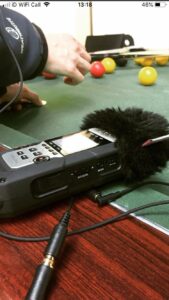
There is funding and budgets available so that participants can produce high-quality audio content. There are also opportunities to learn more about the specific editing process at the BBC. We were given lots of information about mics including contact mics, lapel mics, M/S mics, and stereo mics.

I would highly encourage any young creative people to apply.

The next deadline for applications for Film and Audio work is midnight, Sunday 7 July 2019.

You never know what might come of it!

Good luck!

Find out more here:

New Creatives North and Tyneside Cinema

Twitter:

Instagram:

Tyneside Cinema:

BBC Arts:

Arts Council England

WHERE ELSE TO FIND ME:


SoundGirls Wikipedia Edit-A-Thon

On May 26th, 2019, a group of SoundGirls met online to discuss the ins and outs of Wikipedia.  Myself and April Tucker led the talk, and while initial attendance was small, I could see a growing interest among the SoundGirls community.  Much of what was covered was an expansion of the previous articles I had written. I began with the ethos of the online encyclopedia, and quickly progressed to a step-by-step instruction of how to edit Wikipedia pages.  April focused on tips and tricks that make Wikipedia even easier to navigate. I admit, I learned many new techniques from this talk.

If you missed the Wikipedia Edit-A-Thon event, we have you covered, starting at the 2-hour mark.


Furthermore, the best way to start editing Wikipedia is to create an account there. Wikipedia was made for everyone, and there are tasks for every editing level. I have a page available specifically for those SoundGirls starting their editing journey with guides and links.  My Talk Page is also available for specific questions, and I check it regularly.

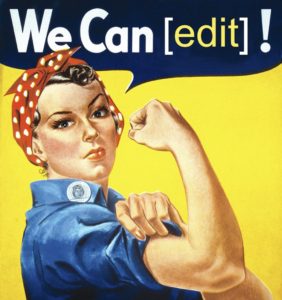
SoundGirls have an opportunity to spread awareness through Wikipedia, but it takes all of us.  Every little edit, no matter how small, adds up. Similar to Geena Davis’ crusade of “If She Can See It She Can Be It,” let us build towards gender parity.

User Page

Talk Page

Editing Sound Girls into Wikipedia

Editing SoundGirls into Wikipedia


Missed this Week’s Top Stories? Read our Quick Round-up!

It’s easy to miss the SoundGirls news and blogs, so we have put together a round-up of the blogs, articles, and news from the past week. You can keep up to date and read more at SoundGirls.org

June Feature Profile

https://soundgirls.org/petra-randewijk-live-sound-recording-engineer/


The Blogs

How to Learn Any Digital Console Quickly

Invoicing 101

Choose a Different Route

Interview Tips for the Theatre Technician

Internet Round-Up


Storyophonic – LYNNE EARLS
A producer-engineer-mixer-composer and player: Irish-born, Liverpool-educated Los Angeles transplant Lynne Earls’ credits include recording K.D. Lang, Calexico, Rumer, Lizz Wright, Wayne Shorter and many others. In this conversation, she compares recording to photography, instinct and intuition guide her as she captures the authentic soul of a sound in the optimal instant.

This episode features “Is Cuma” produced by Lynne, featuring legendary Celtic recording artist – Moya Brennan with Cormac DeBarra from the album “Timeless” on Beo Records.
http://storyophonic.libsyn.com/lynne-earls

For more info about Lynne Earls, visit:
www.lynneearls.com


SoundGirls News


The Ethel Gabriel Scholarship

https://soundgirls.org/scholarships-19/


SoundGirls Events


Ableton Live for Anybody

https://soundgirls.org/event/nashville-fireside-chat-w-systems-tech-rachael-moser/?instance_id=1557

Analog/Tape Recording Workshop w/Lenise Bent Part 2


SoundGirls Opportunities


Apply to Work The Ladybug Music Festival

SoundGirls and SoundGym


Shadowing/Mentoring/Internship Opportunities


Shadow Gil Eva Craig – NZ & Australia


SoundGirls Resources


Spotify and SoundGirls Team Up – EQL Directory

SoundGirls – Gaston-Bird Travel Fund

Letter for Trades and Manufacturers


Women-Owned Businesses

SoundGirls Scholarships 2021 Now Open

Events

Sexual Harassment

https://soundgirls.org/about-us/soundgirls-chapters/

Jobs and Internships

Women in the Professional Audio

Member Benefits

Choose a Different Route


The other day I was on my way to work, and I always take the same route unless there are some disruptions on my tube line. There were, in fact, some disruptions this particular day so I had to take different trains, but luckily that route takes about the same amount of time for me to take me from my home to work.

I thought that I almost prefer this other route, it is mostly overground and you know, it is nice to change up your habits a bit. We tend to get stuck in the same routines. Mix a show in the same way you’ve always done, mic up a drum kit the same way as you always do, EQ monitors precisely the way you did yesterday. Sure it is tried and tested, but it gets a bit repetitive after a while.

Playing it safe:

In the live industry, you sort of have to play it safe most of the time, simply because there is no time to be adventurous. You got to make it sound good, and you have to do it fast.

However, if you are a venue engineer, you can easily get set in the same ways. But if you don’t challenge yourself, you’re not going to improve nor learn something new. It is like working out in the gym, if you work out a muscle the same way and not adding weight or variety to it you will not become stronger. You will simply just plateau.

The upside of being a venue engineer is that it is a safe environment. If you have been in a place for a little while, you probably feel relatively comfortable and will hopefully have a small bit of extra time to play around with things. This is a perfect environment to try and do things differently if you’ve got something that is tried and tested, you’ve always got that to fall back onto.

The ‘One-way’ route:

I work in a venue where the speakers are all hidden away and scattered around the building, surrounded by loads of marble. Not ideal for creating ‘the perfect sound.’ You just have to make it sound good with what you’ve got, and honestly, it is not that bad. However, anytime there is a visiting engineer they get entirely thrown off; because they are so set in the way they usually do things they can’t figure out a different route to get where they want to go..

The live sound industry is not a ‘one-way’ route. There are tons of roundabouts, disruptions, left turns, stops, and traffic lights. Some people work at 100mph and others are lingering around about 30mph. You have to adapt and treat every situation differently.

Very often you just have to work around it. With amazing gear nowadays, it is easy to forget the room and how critical it is for the overall sound of the show. Halls, venues, arenas, stadiums all sound different, there is not a ‘one-way route’ to mix a performance.

Challenge yourself:

We need to be thrown off in able to learn new things. Adapt the way you set up and tune to each venue, each artist. Work off the basics but work with space you are in vs. fighting it.  Ask engineers that work in that venue regularly, how they go about tuning the room. Always be willing to adapt, change, and learn new things.

So whenever you have any disruptions on your line, embrace it. Approach it with the right attitude, and you will see that it will not set you back as much as you might have thought it would. See it as a new learning experience, and hey, you might even find yourself enjoying the alternative route!


Interview Tips for the Theatre Technician


Interviewing for a new job has always been a source of anxiety for me.  I did not choose a behind-the-scenes career just so I could talk to strangers about myself, but it seems that the job interview is a necessary evil.  Over the years, I’ve learned that interviewing doesn’t have to be scary. You can prepare for an interview without feeling like you’re cramming for a final, and there is a bit of a formula that can be applied so that it doesn’t feel like you’re shooting in the dark or starting from scratch with each interview.

Admittedly, it’s been a while since I’ve had an interview.  That’s the good part of being in a residency for many years.  I am, however, in the position of interviewing several people every year, and I have definitely learned what makes me happy and what turns me off after an interview.  Even if an applicant has a good resume, it’s hard to justify moving them forward if they don’t interview well. It’s true what they say about first impressions, and the bigger the applicant pool, the more memorable an applicant needs to be.  No pressure.

Step one:  Do your research.

A very typical interview question is, “Why this company.”  You need to be able to answer that, and my pro tip here is, make the answer be about the company.  If you tell your interviewer that you’re just trying to find a job or that you apply to every job you see posted, that can be a mark against you.  They also do not want to hear that their company is a great stepping stone along the path to the job you really want. The theatre world is a very small one, and if you put some feelers out, you might find that you know someone, or have a friend of a friend who has worked with this company.  Pick their brain, and find out how their experience was. What aspects resonate with you? Also, the internet is your friend. Use it to learn everything you can about the company. They will likely have their mission statement posted and probably an “about us” section on their website. Do you have like views?  How so? These will be great talking points. If you don’t agree with their mission or don’t like how the company operates, stop right there and reconsider applying for this job.

Step two:  Know your resume.

Your interviewer will most definitely have your resume in front of them, so that is going to be a source of questions from them.  I know I have several different resumes I use depending on the job I’m applying for, and they don’t all contain all of the same information.  I don’t know how many times I have referenced something from an applicant’s resume, and they didn’t know what I was talking about, because they couldn’t remember the specific resume they sent me.  If I’m applying to several companies at once, I will immediately print out the resume I submitted and staple it to a sheet of paper with the company’s name on it. Looking at the same thing the interviewer is looking at will help keep your head clear when you’re searching for just the right answer to their questions.  Btw, that blank sheet of paper is also the thing you should use to write notes on.

Step three:  Be yourself.

Something about your application materials drew this company to you, so don’t mess it up by trying to sound more important, or professional, or what have you.  These people are very likely just looking for a human that is good at their craft. That’s you. Be a human. It’s ok to laugh or crack a joke here and there, that stuff lets the interviewer know that you can be relaxed in high-stress situations.  Be careful, though; you don’t want to push this point. Don’t go out of your way to sound extra funny, or extra cool, or just plain extra. It’s awkward and uncomfortable to listen to, and it’s also not an accurate representation of who you are. So again, just be yourself.

Step four:  Create a stress-free environment.  

Many of my interviews are conducted over the phone, and I have heard it all, so let me start by saying that a busy loading dock, the subway, your car in rush hour traffic, the airport, the bar (yes, I have called someone for an interview while they were at the bar) are not considered a stress free environment.  If it’s hard to hear you because of background noise, or if you’re driving in and out of cell service, or I guess if you’re wasted at the bar, it is going to be very frustrating for your interviewer, and they are likely going to skip some questions just to be finished with that phone call sooner, and you’re going to miss out an opportunity to show this company how awesome you are.  Also, make sure you have plenty of time available before and after the interview. Your interview could be 20 minutes, or it could be 2 hours. It’s also possible that you might get a call a little early, so be prepared, and just block out a good chunk of time. Choose a quiet, good phone service area. If you’re doing a video interview, look at the world around you. Are your interviewers looking at your dirty laundry or watching cartoons in the background of your camera?  “No” should be the answer here.

Step five:  Take notes.

Before your interview, write down some questions you have about the company or the job.  Even the question, “Do you have any questions for us” is a test. They want to know that you have standards, and you’ve done your homework.  Indifference is not a good quality to have in an interview, or in life, really, so having some opinions about how you would like to potentially be fit into this new company is a good thing.  Also, write down the questions you are asked. If you get a little rambly or need a second to think about the questions, having them written down in front of you will help you keep your thoughts collected.

Step six:  Be polite and gracious.  

Manners go a long way.  This company has gone into a lot of trouble to work you into their busy schedule, so thank them for their time at the end of the interview.  I think a follow-up email within the hour thanking them again is a really nice touch, and I definitely always take note when I get that email.  Also, remember that your interviewer works for the company for which you are applying, so it stands to reason that they probably like the company.  Don’t bash it during your interview. I know this seems like strange advice, but I wrote it because I’ve encountered it. Also, this person is also probably a department head or production manager, so keep that in mind, and don’t tell this person everything you hate about production managers.  Trust me; it won’t go over well.

Step seven:  Stay engaged, not pushy.  

You have no idea what your interviewer’s schedule is like, so don’t expect to hear from them the next day.  It’s fair to ask during your interview when they expect to get back to you and if you’ll hear back whether or not you get the job.  If the date that you were expecting a call has gone by, feel free to follow up with a friendly email, but I would suggest stopping at one email.  Not everyone gets back to applicants if they didn’t get the job, so if you haven’t heard anything even after you sent a follow-up email, you probably have your answer.

All in all, confidence, genuine personality, and organization are going to be your best lines of defense during your interview.  If you feel good about how your interview went, then remember what you did, and make it your base formula that adjusts based on the company.  If you didn’t get the job, but you truly thought your interview went well, don’t blame the interview. There are a myriad of reasons why you might not have been chosen, and you don’t want to psych yourself out before the next interview, so just know that you have done your best work, and you can do it again.

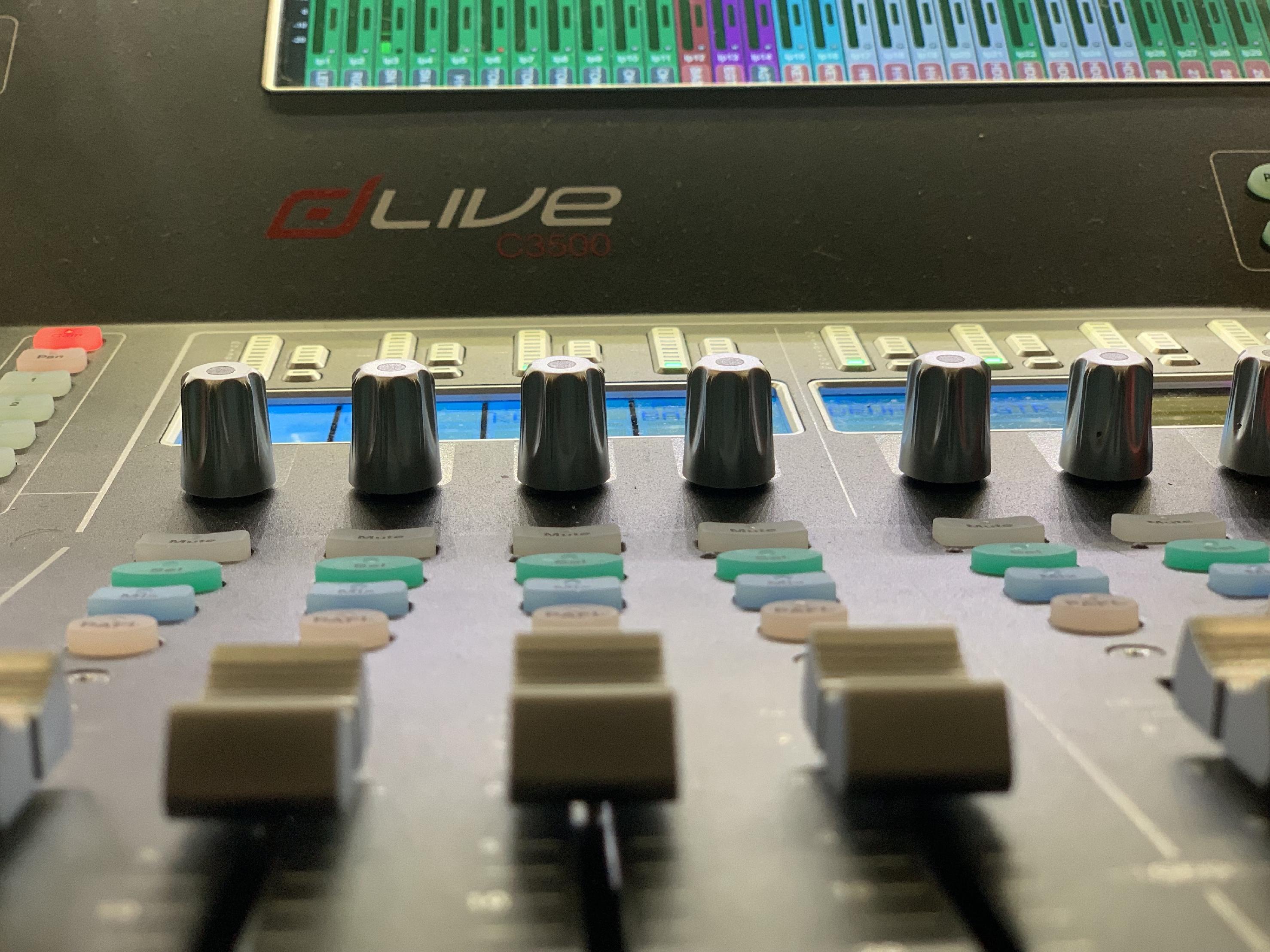
How to Learn Any Digital Console Quickly

Many times I have accepted an event, asked about the equipment, and received a super vague response. Or, even better, requested a specific console and then received something completely different! Cool, I guess we’ll figure it out as we go?

Locate your most important things:

Interface – how do you navigate? Is there a computer/mouse situation, or is it a touch screen? If you’re on a console, some are touch screens, and some aren’t. Do you need to make your faders, is there a blank session you can load for the venue that gives you a starting point? Figure it out.

Console layout – Take a minute or two to see how the console is set up. Where is the EQ/effects section, does it have its own section or is it variable on the scribble strip? How many layers, and can you change the layers with a flip to faders function (those can screw you up if you don’t realize it’s turned on!) Locate the headphone port and how to adjust your own monitors. This sounds silly, but I had a conversation last week with Beckie Campbell where she just couldn’t find it on a Midas console, and she’s a damn legend.

Patching – Usually when I start to get annoyed or confused on a new console, it’s because of the patching. Patching can be super simple (like on the Avid consoles) which is a click-and-drag situation. Calrec Summa is a multi-step process where you click back and forth between Source and Destination points. It’s a good system (in my opinion) but takes extra consideration.

Bus assignments – How do you assign your channels? Are there buttons, can you select them all and do it all in one go? I teach audio students, and this is one of the biggest things that gets overlooked. It’s one of the very first things that I do, but students seem to forget until they don’t get audio as expected.

Now figure out what you will need for the show

Aux Sends & Effects – Are there dedicated effect returns, or do you need to make some from stereo channels? In some interfaces, it might be easier to add the effect first and then route it. Other consoles will demand you have the aux and returns and then add the effect to the channel.

Compression/EQ onboard vs. plugins – All digital consoles will have some onboard effects. Calrec Summa – a broadcast console – has two dynamic effects per channel. It does not have any time-based (other than time delay) effects onboard whatsoever. FOH digital will have a large selection of brand-based or fancier licensed plugins, with the option to load more from your personal key (such as Waves). This can be frustrating and may require phone calls to get your license functioning on a new console. It’s up to you and your client, but for any smaller shows or corporate events, I just keep it simple.

Snapshots – You can select which parameters will save in your snapshots, so I suggest you take a few minutes to set this up. It has screwed me up when I changed snapshots and then my patch changed, for example.

Other Notes

Download the manual (not a link!) and read it if you can on your commute.

Download software if available and start building your show file.

Try to give yourself time for a break so you can walk away. It’s fun to learn new things, but it can be frustrating when it isn’t working the way you expect.

Use your network – Do you have any friends you can call or text to get a tip? We have dozens of digital consoles where I work, so I am lucky enough to be able to access almost anything to build a show file or learn the layout ahead of time. Most people aren’t privileged in this way, try to see if a friend of a friend has the console you need or will be using one locally! SoundGirls on Facebook is also an excellent resource; there are literally hundreds (thousands?) Of people online who are willing to help. We’ve had FaceTime sessions, chats, phone calls, text marathons, etc. to help when needed! Once I phoned a friend just to see if I could plug my phone USB into the console to charge it (I couldn’t), so don’t be afraid to ask the dumb or seemingly obvious questions.


Analog/Tape Recording Workshop w/Lenise Bent Part 2

This is open to intermediate recording engineers that wish to learn to analog recording techniques.  Session will be taught by Lenise Bent.

This second workshop will include:

In this workshop we will be taking the next step in analog tape recording, mixing to tape using a large format recording console and outboard gear.

We will be at the world-class Sphere Studio in Burbank, CA. SoundGirls will have a quick hands-on review of the first workshop, “24 trk. analog tape recording”, in which you will each thread the 2″ 24 trk. tape machine and run the transport.

We will also review:

We will use the song recorded to 24 trk. tape from the first workshop to practice mixing down to 1/2″ 2 trk. stereo. This will include:


Invoicing 101

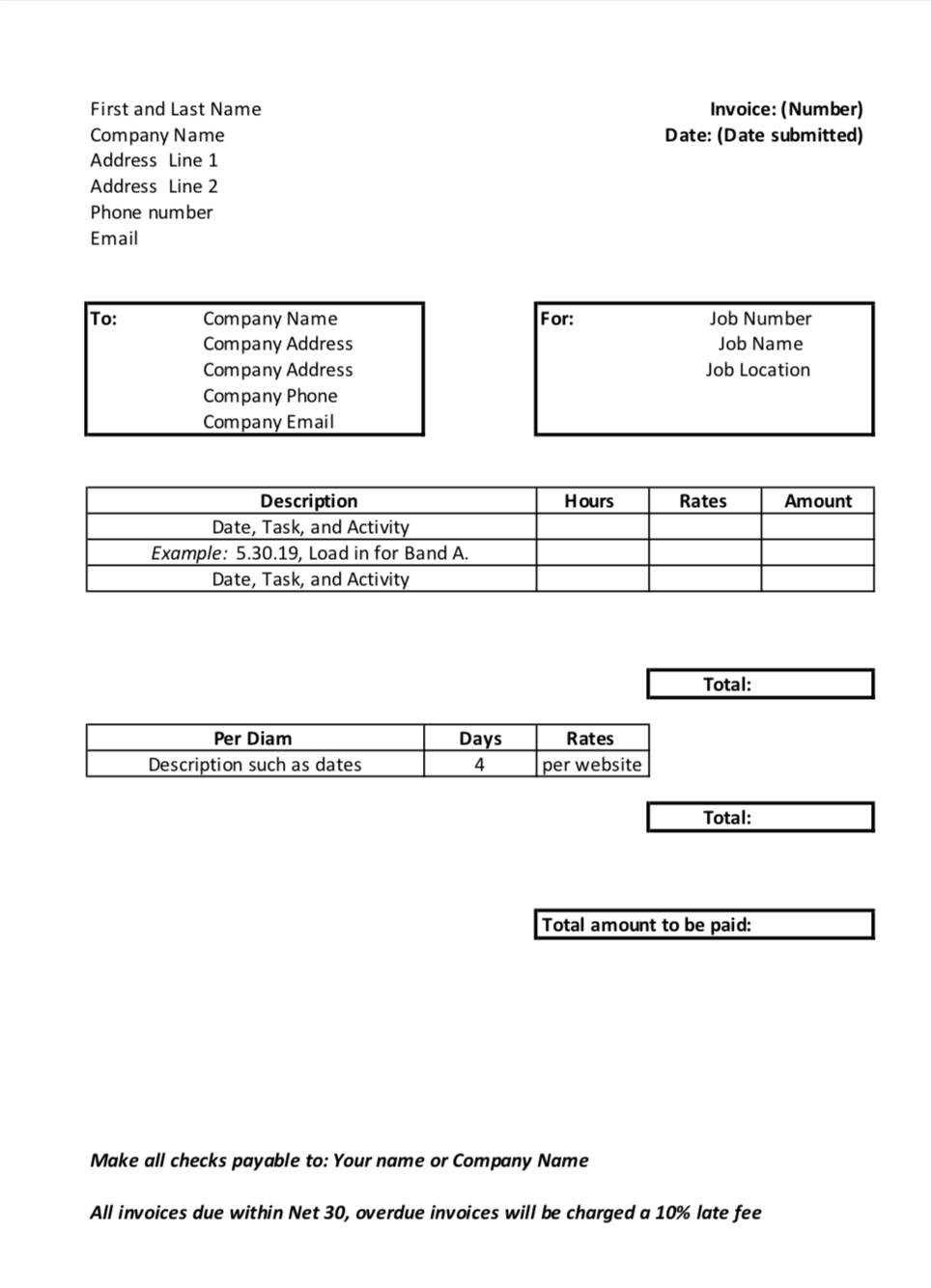
Many of us are asked to generate invoices for our work, but what is needed on an invoice? There are many templates online, but ideally, you are setting up an invoice that is easy for you to complete and easy for the person paying the bill to read.

I suggest building your template using something like excel or google sheets, so you don’t need to recreate the important sections of your invoice all the time. Items that won’t change frequently but are required on every invoice include your name, e-mail, mailing address, phone number, and your company name if you have one.  All this information should be at the top left of your invoice.


Each invoice should have a different invoice number for tracking, for simplicity, keep this at the top right of the document. Also, include the date of the invoice there as well. This helps the date stand out, so you know when the invoice was created and submitted. In result, you can track when you should be paid as you set your Net terms.

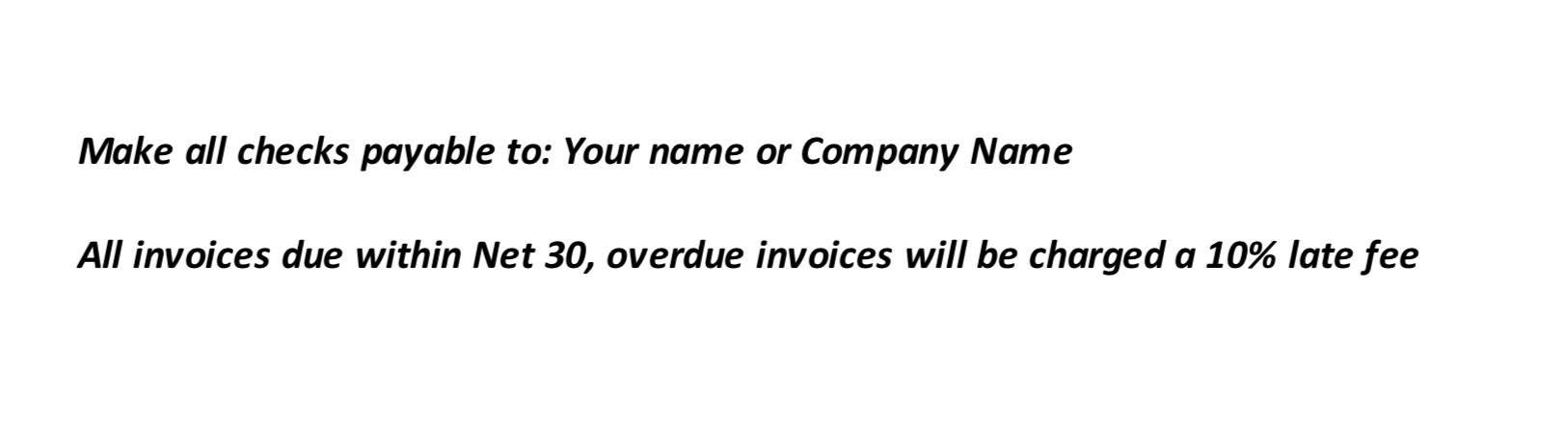
Net terms, usually at the bottom of the invoice, is the timeframe in which you require invoices to be paid. For example, you may note something like “All invoices due within Net 30, overdue invoices will be charged a 10% late fee.”  You will want to select a timeframe that is reasonable for an accounting department to fulfill. Most do Net 15 or Net 30. This net timeframe is based on the date you send the bill, which should also match the date at the top of your invoice. In this same area consider adding a note of whom checks should be made out too such as your name or a company name.

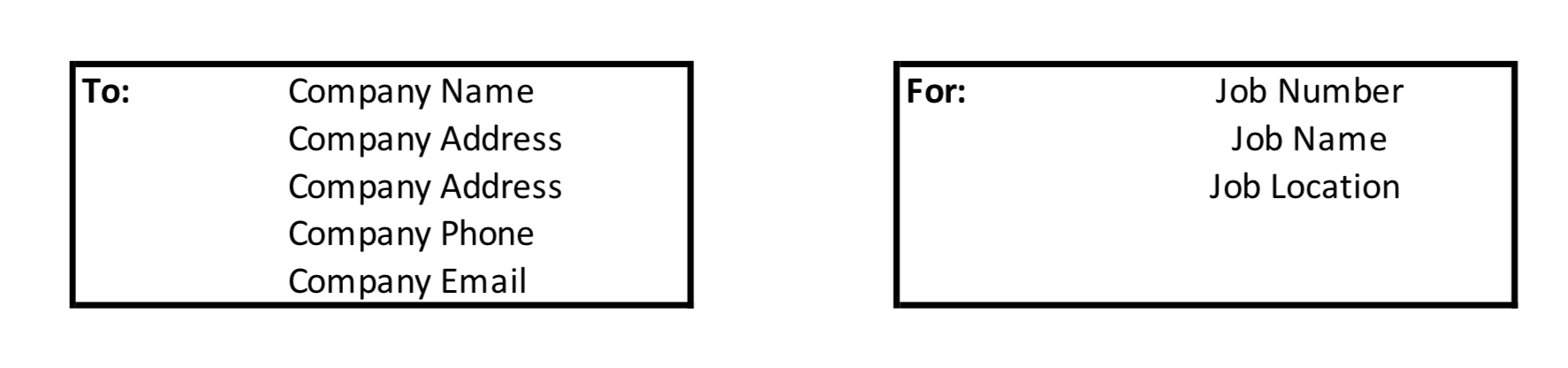
Your invoice also needs information about who you are billing and what you are billing. Make sure to have the company’s full details such as name, address, email, and phone number. Then include references to what you are billing. Here I use the company’s job number, job name, and the job location. This will help you as well as the accounting department sort your paperwork faster for payment.

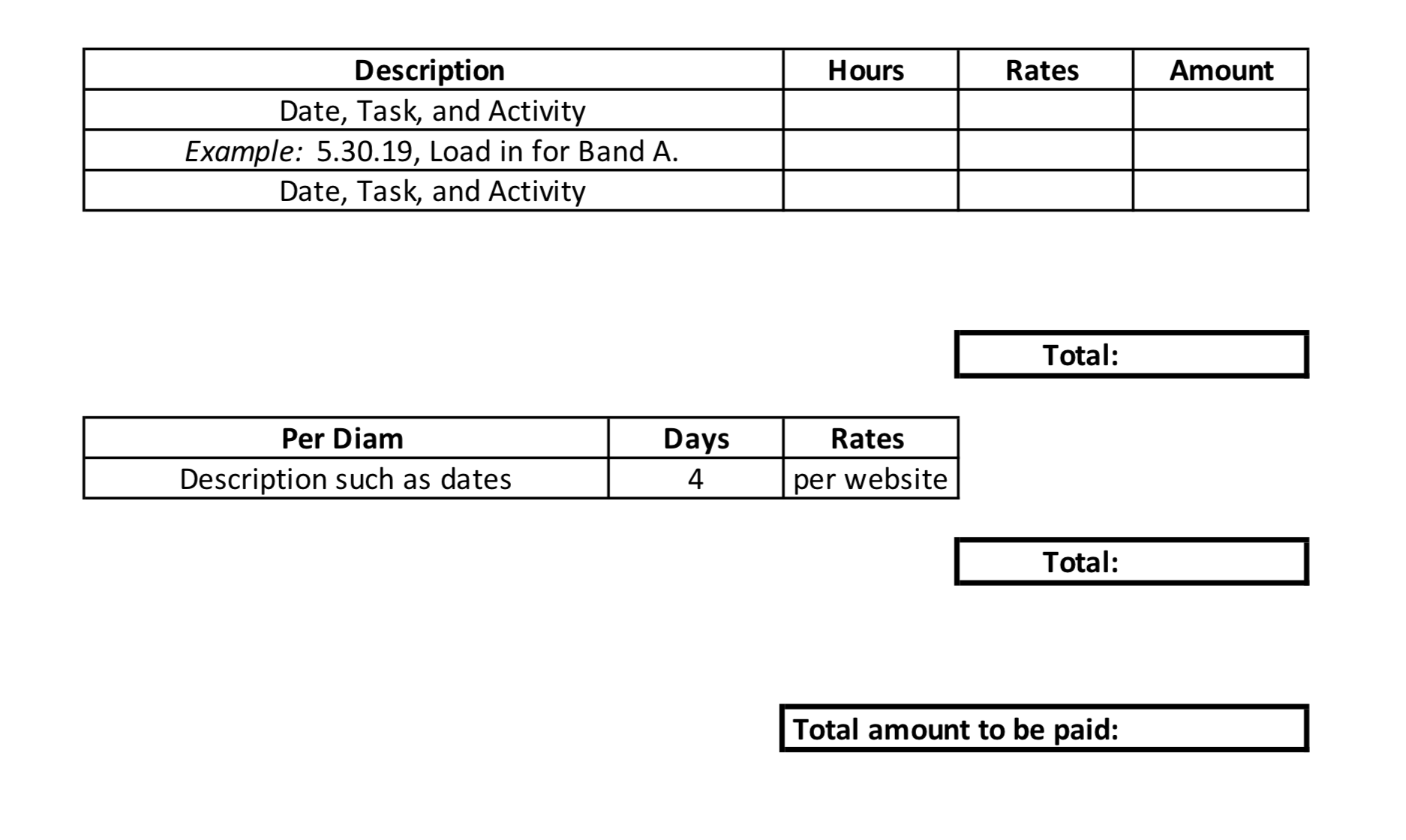
Next is the most vital part of the invoice – the amount you are going to be paid!  This is the center of the invoice. Here you are going to provide a description of the work, hours, rates, and totals. Lay this out in an easy to read format and help yourself by inserting formulas to do the math for you.  Your description should include the date, task, or position you performed, and activity you did, such as load in, show, or load out.

Here is also where you also would include chargebacks for per diem. I recommend you list this separately, so it doesn’t get lost in your invoice as well as for your records since per diam is tracked/taxed differently depending on your location. Reimbursements could be listed in the section as well, but don’t forget to attach the receipt.

You will want to communicate with each company for all events your expectations for per diem, such as the rate and payment timeline. Some people prefer cash in advance while others invoice after the event. As far as rate, each company seems to treat this differently, but if you are in the states and want to know the going rate, you can refer to the US federal website for this information. https://www.gsa.gov/travel/plan-book/per-diem-rates/per-diem-rates-lookup Keep in mind some companies will follow this recommendation and others will not. Make sure to have this discussion before you commit to working for the company or before each event if needed; work with them to agree on the amount.

Adjust your invoice template as you go. Feel free to use a little color or design, but nothing major as you want to make sure the necessary parts stand out. You will learn what works better for each company and what works better for you. Remember to submit your invoice within a timely manner. I suggest a day or two after the event. This way, you don’t forget the details you need to invoice for, and you can get paid faster! Plus, then it’s on the company’s to do list and not yours!

Invoice example


X